Announcement
Winhanced 1.0 arrives November 30
The overlay is free for everyone, three new features land in Early Access, and Early Access can now be bought with a one-time purchase.
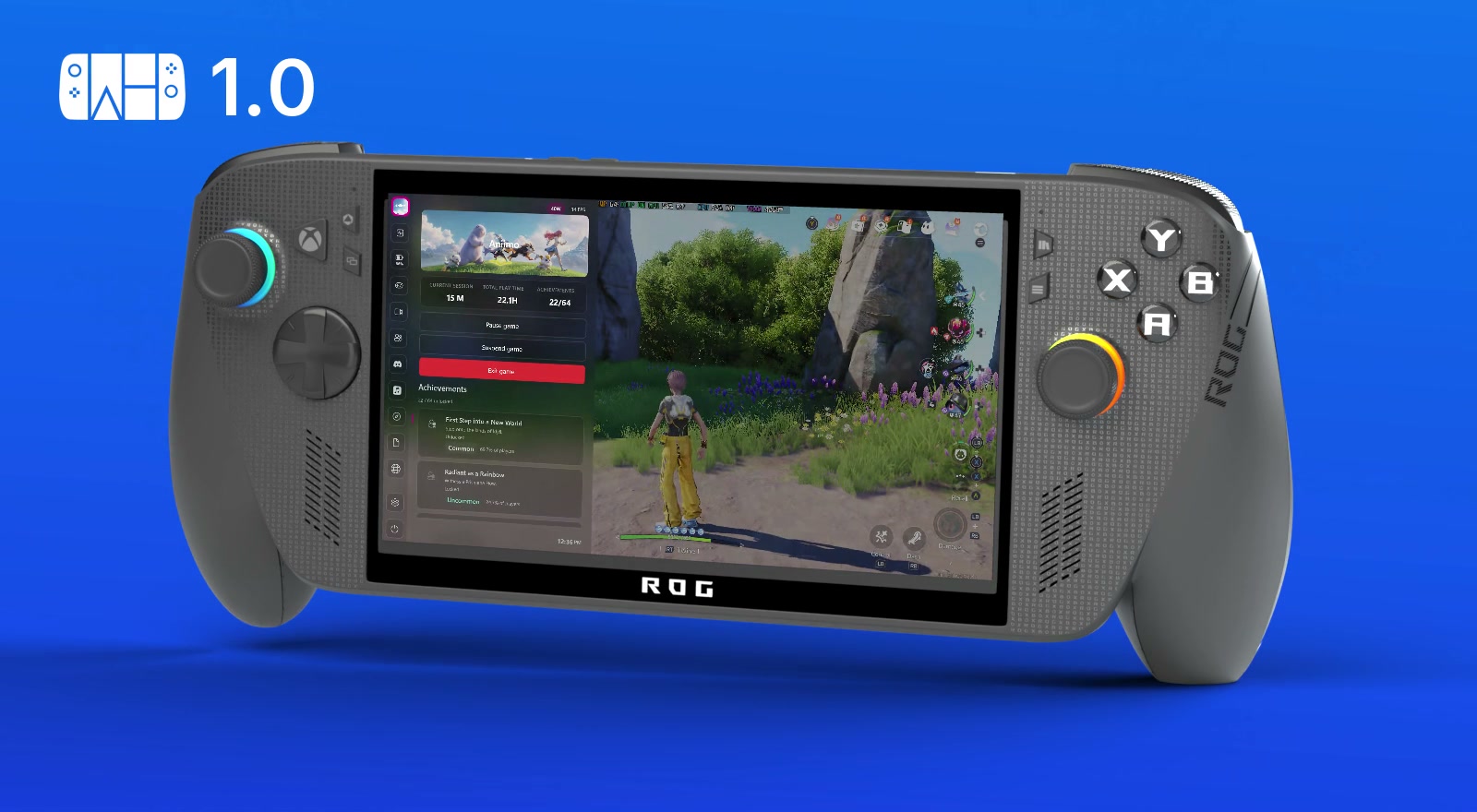
Winhanced 1.0 comes out of beta on Monday, November 30, as a free download for Windows 11. Winhanced is one app to discover, manage, install and play your games, with a controller from start to finish. Sign in to your stores once and every game you own is in one library, on a handheld or on a desktop hooked up to your TV.
A month ago we put out the 1.0 Beta. A lot of you ran it on your own devices and sent a report every time something broke, and 1.0 is what came out of that. Thank you. This post covers what's coming on Monday: what's free for everyone, what's new in Early Access, the new one-time purchase, and the devices Winhanced supports.
Free for everyone
Nothing in Winhanced is paywalled. Every feature ends up free, and with 1.0 the three biggest Early Access features of the beta get there.
The Winhanced overlay
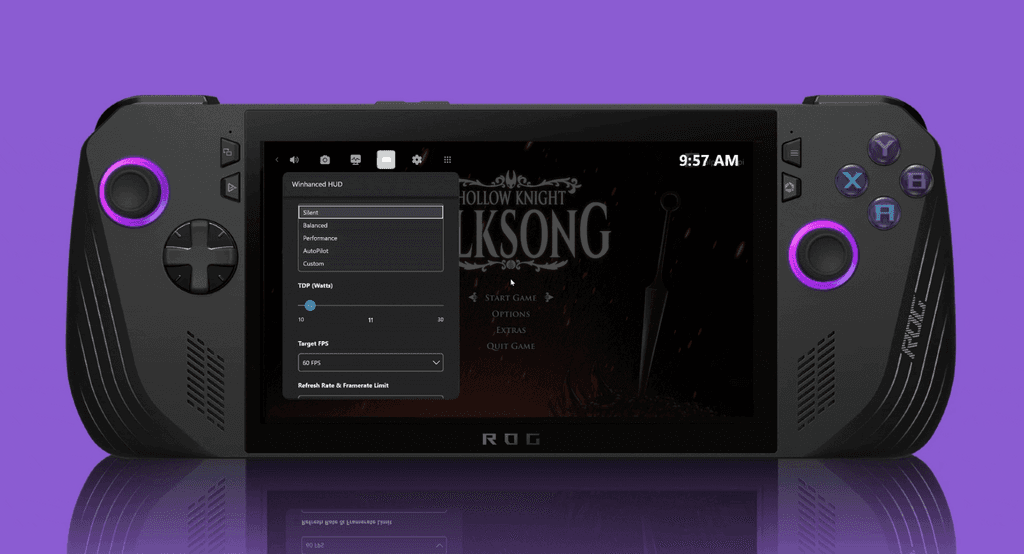
Press the Guide button in any game, or swipe in from the edge of the screen, and the overlay opens over it. Everything you'd normally leave the game for is there: power, frame rate and fan speed for the game you're playing, performance stats you can place anywhere on screen, music from Spotify, Apple Music or YouTube Music, guides that already know which game you're in, recording with trimming, your friends, Discord with voice chat, a browser and a journal. You pick which pages show up and in what order.
To turn it on, go to Settings > General and set Guide button opens to Winhanced overlay.
Colour themes and the Discord Server Browser
Every colour theme, the two-colour ones included, and the Discord Server Browser in Friends are free for everyone too.
Also new for everyone in 1.0
- Amazon Games installs. Sign in once and install, update, repair and uninstall your Amazon games in Winhanced, without the Amazon Games app.
- Acer and GPD handhelds. The Predator Atlas 8 and GPD's handhelds join ASUS, Lenovo, MSI and OneXPlayer.
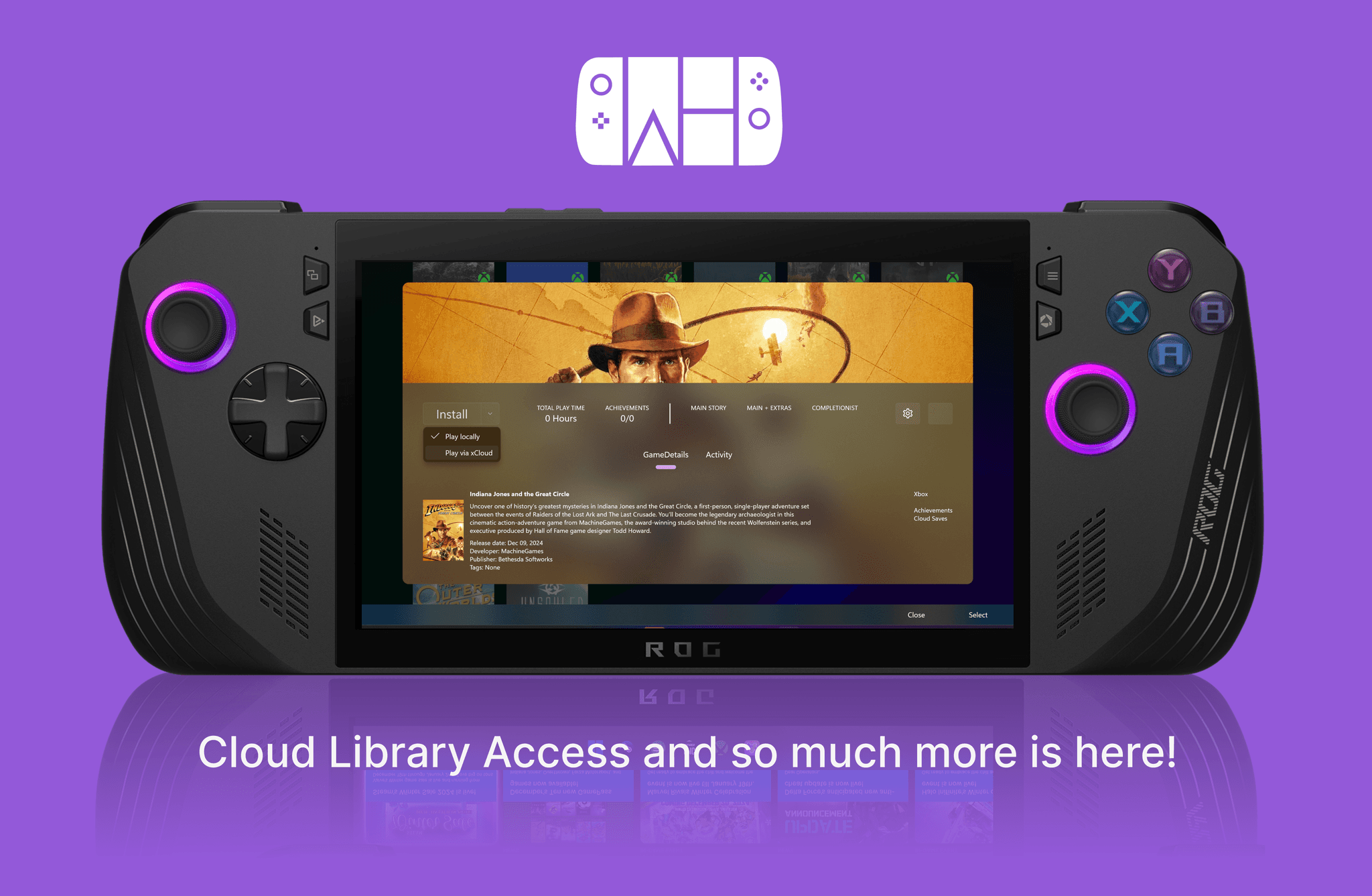
- xCloud and GeForce NOW as libraries. Both open with the same grid and covers as your other libraries, and xCloud now lists about 80 Game Pass cloud games it was missing.
- Move install location. Move an Epic, GOG or Amazon game Winhanced installed to another drive.
- Smoother library scrolling, and covers that keep their own shape.
- Start + Select can open Game Bar, the overlay, or nothing, so a game can have it.
- Privacy choices. Crash reports and community data are now two separate switches, and each one shows exactly what it sends.
New in Early Access
As always, Early Access gets new features first, and they come to everyone 1 to 2 months later, the same way the overlay is now. Three are new with 1.0.
Remap your other controllers
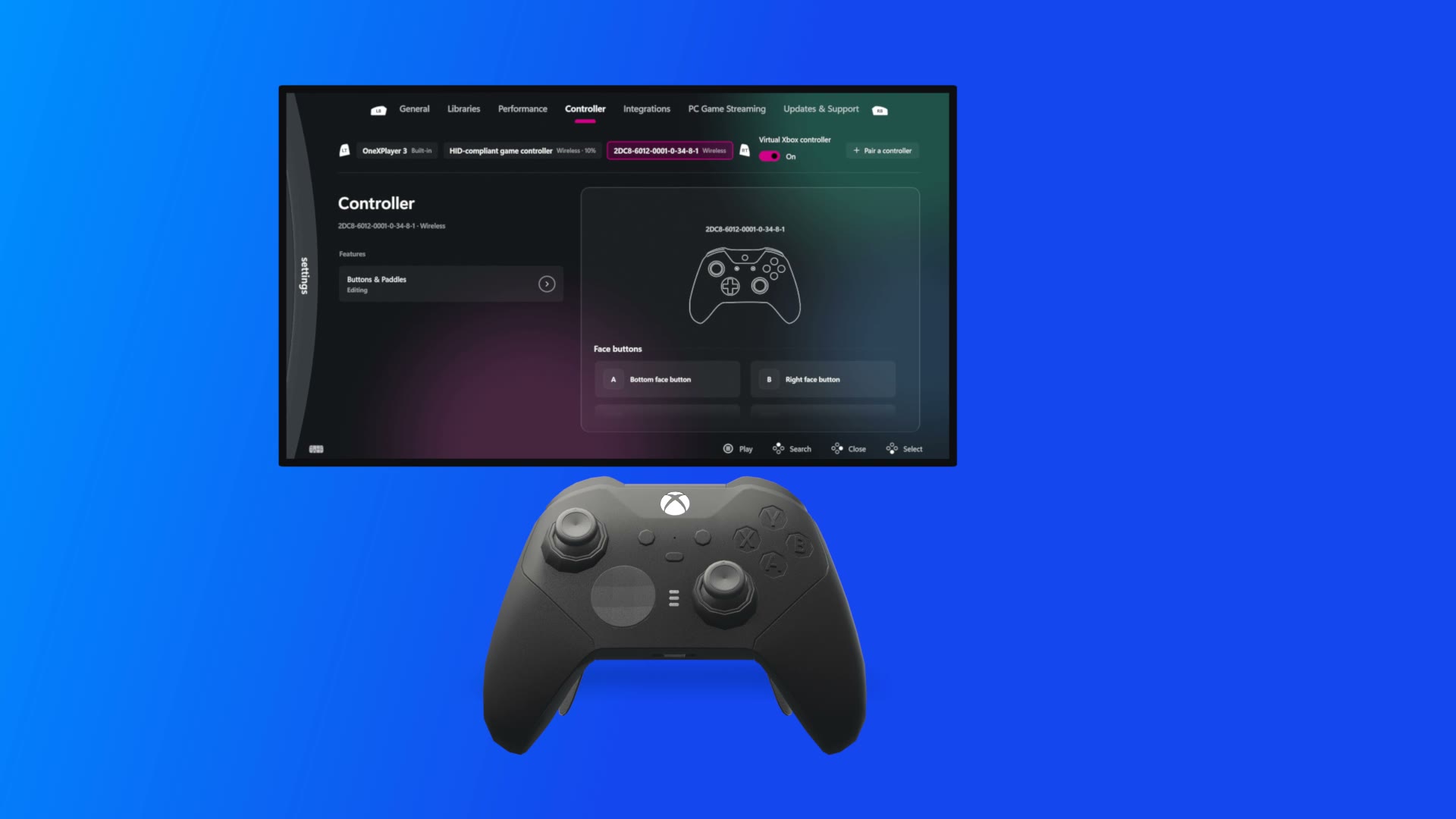
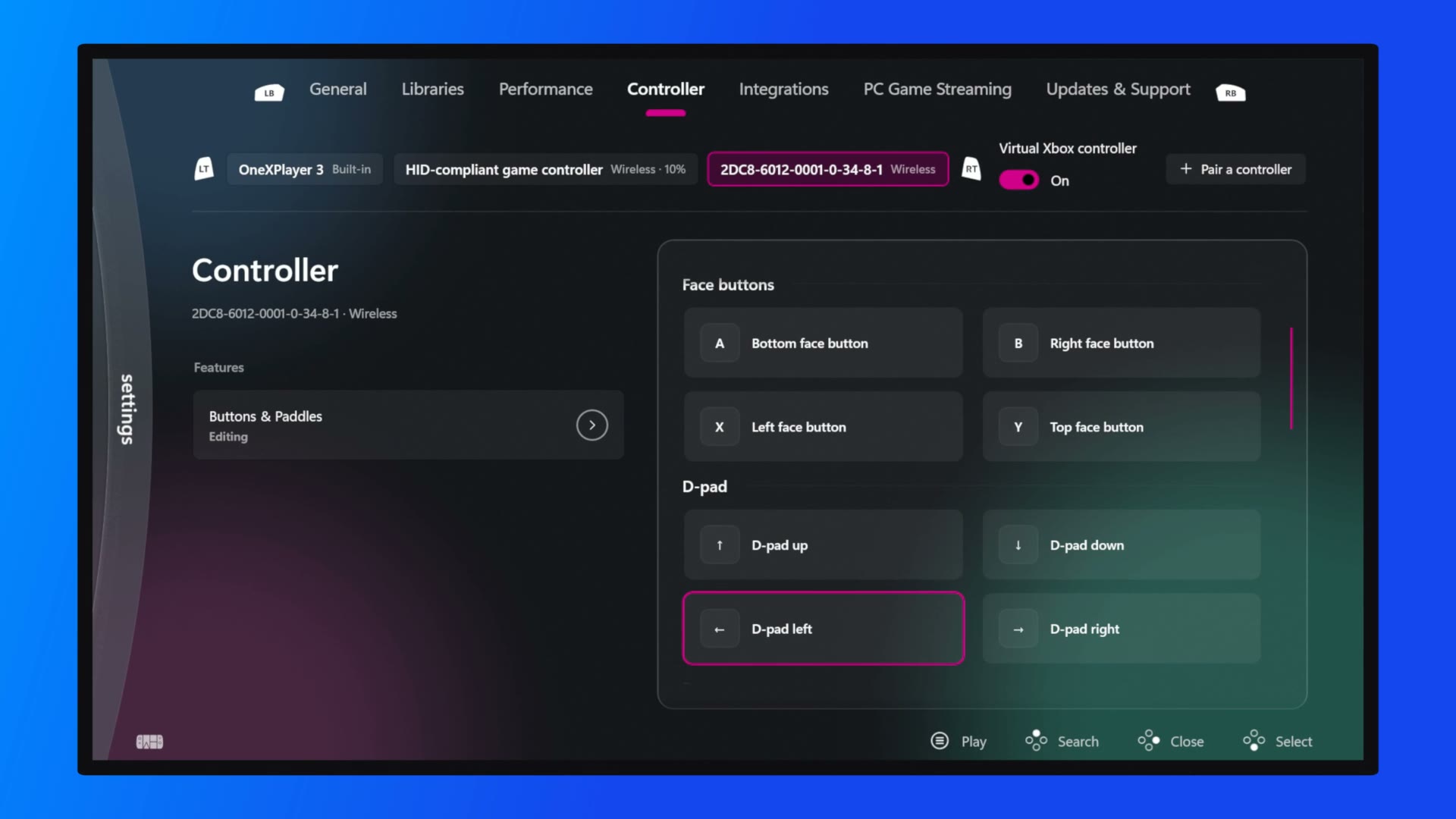
Connect a DualSense, Switch 2 Pro, 8BitDo, GameSir or Xbox controller, select it at the top of the Controllers page, and remap it the same way you remap your handheld, back paddles and extra buttons included. On an Xbox Elite Series 2, the controller's Profile button switches the editor between profiles 1, 2 and 3. Pairing a controller stays free for everyone.
Community profiles
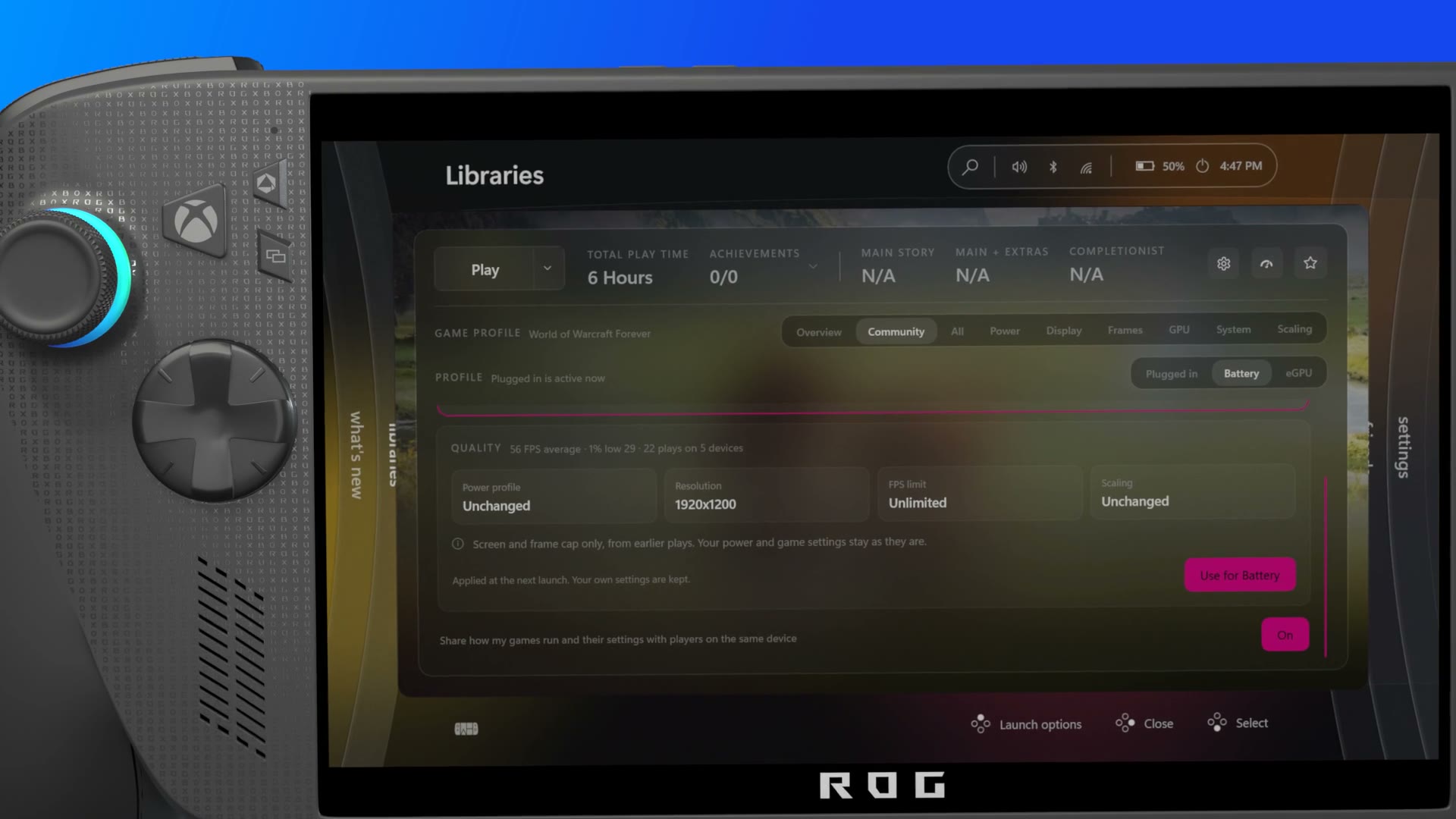
Open a game's profile and the Community tab shows the setups other players with your handheld run that game at, sorted into Performance, Balanced and Quality, with how well each one ran for them. Use one and Winhanced applies the whole setup, the game's own settings included. If you don't like it, one press puts yours back.
Three new Home layouts
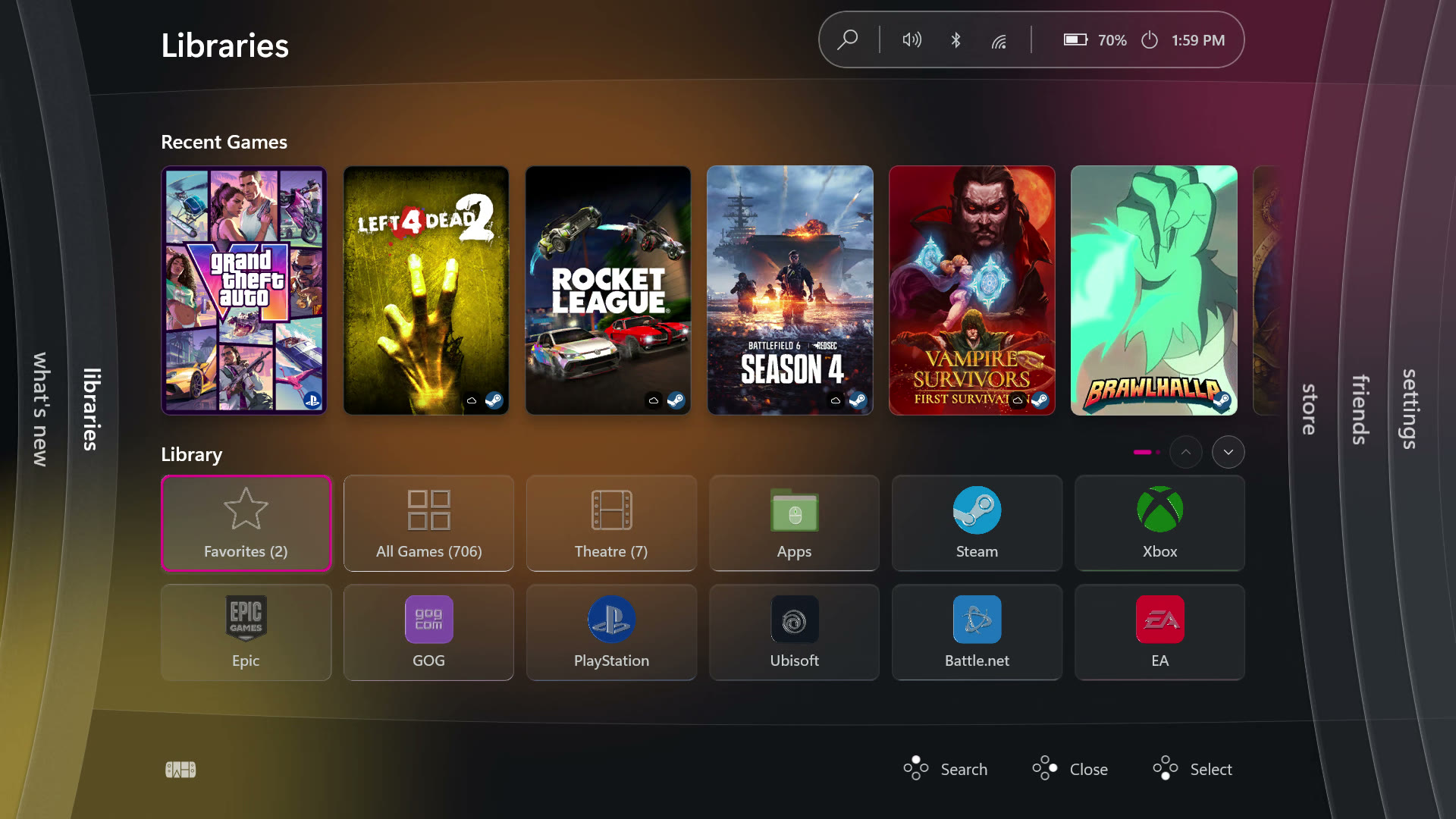
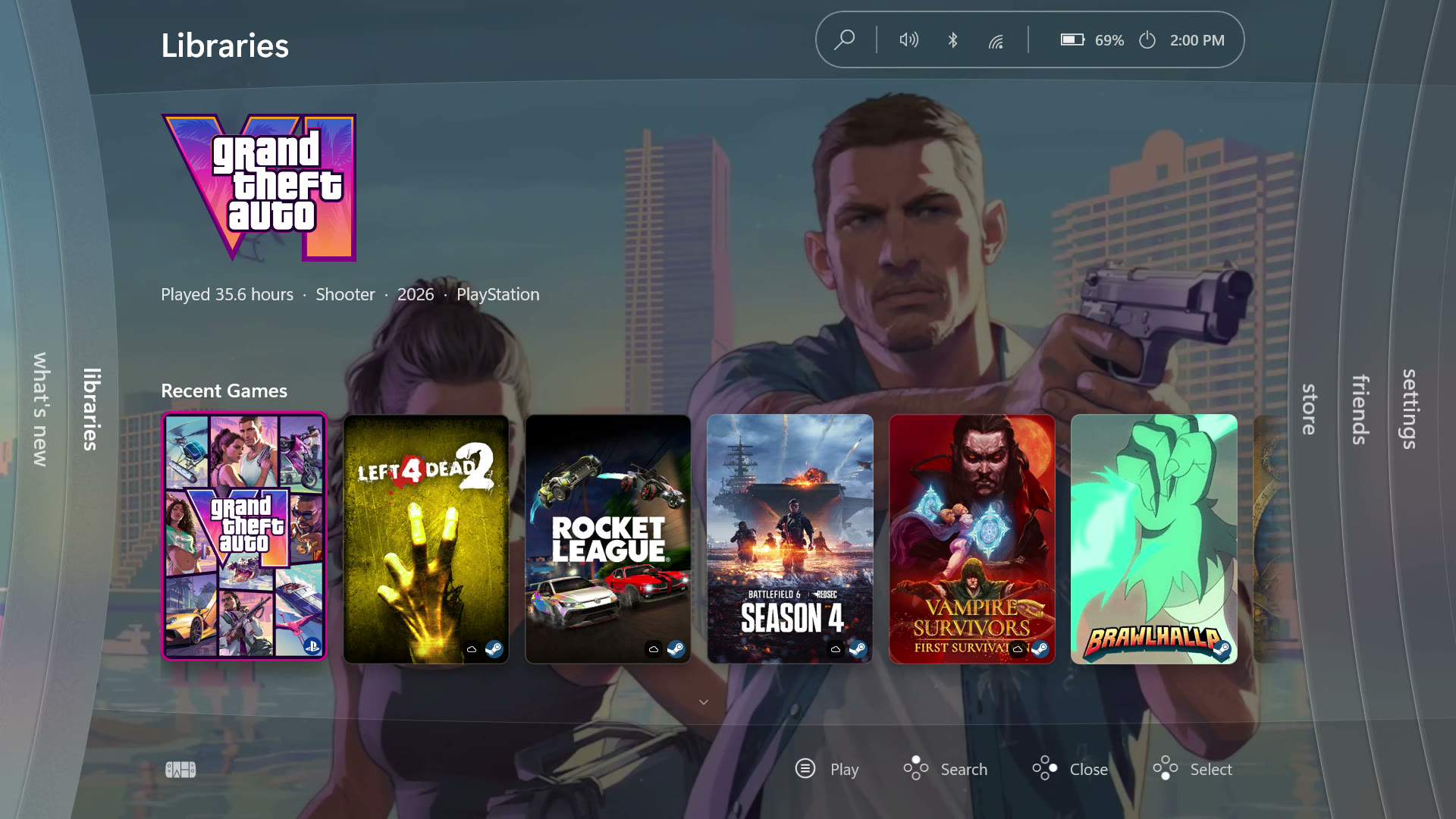
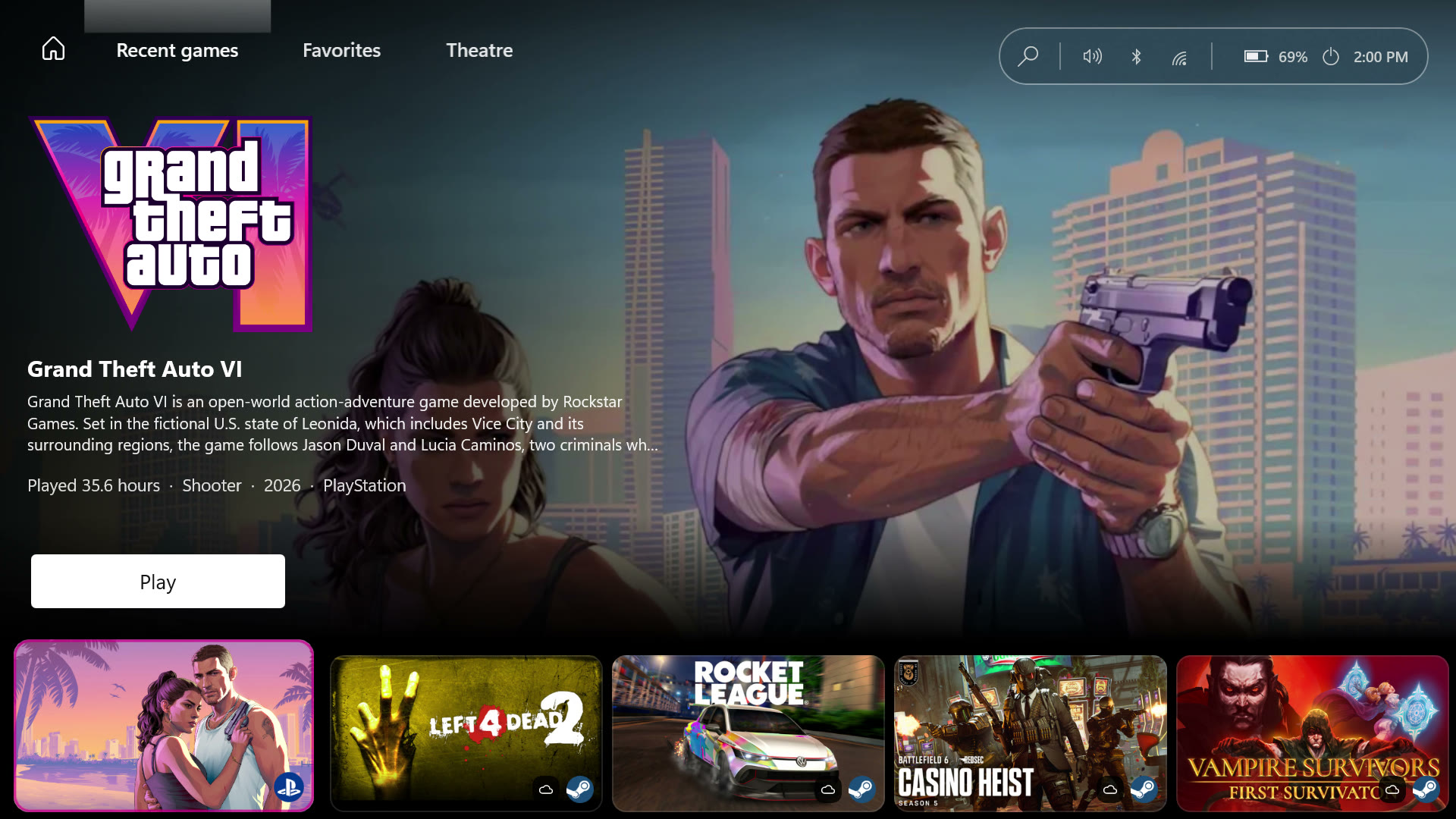
Xbox turns 25 this year, so Blades brings back the Xbox 360's blades, reimagined for your whole library: Home, your libraries, the Store, Friends, What's New and Settings each get a blade, and LB and RB move between them. Shards is the same idea with your recent games just above the bottom of the screen, leaving more room for your game's art. JoyStation is the in-world console from GTA 6, brought to life on your own PC.
Early Access is now a one-time purchase
Until now, Early Access came with a subscription on Patreon or Discord. Starting November 30, you can buy it once on winhanced.com and keep it, no subscription needed. Supporters are how Winhanced gets made: they pay for the handhelds we test on, the servers behind the app and the time to keep building it.
- Free · $0. The whole app. Early Access features arrive here 1 to 2 months after they launch.
- Early Access · $39, one time. Every new feature the day it ships, on up to 3 of your devices, plus the supporter role and private channel on our Discord. No subscription.
- Supporter · $99, one time. Everything in Early Access on every device you own, and your name in Winhanced Producers, in the app and on the website.
- Experimental · $7.99 a month on Patreon. The builds we're still testing, before they're ready for everyone. It includes Early Access and the private Discord channel for as long as you stay subscribed.
Early Access and Supporter are bought on winhanced.com and can be refunded in full within 30 days. After buying, turn Early Access on in Settings > Integrations > Early Access with your code. You can also give any amount once, with no perks attached. If you already support Winhanced on Patreon or with a Discord Server Subscription, you keep access to Experimental builds without signing up again.
Device support
Everything that doesn't depend on your hardware works on any Windows 11 PC. On supported handhelds, Winhanced also runs the hardware itself, with no maker's app to open. 1.0 adds the Acer Predator Atlas 8 and the GPD family.
Device support
Your library, sleep and wake, controller navigation, the overlay, the keyboard, recording and PC streaming work on any Windows 11 PC. The table shows the hardware features each device adds.
| Power and battery | Controller | Updates | ||||||||
|---|---|---|---|---|---|---|---|---|---|---|
| Device | Power | Fans | Charge limit | Lighting | Every button | Back buttons | Second actions | Gyro | Rumble | Drivers |
| ROG Ally familyROG Ally, Ally X, Xbox Ally, Xbox Ally X and Xbox Ally X20 | Yes | Yes | Yes | Yes | Yes | Yes | Yes | Yes | Yes | Yes |
| Legion Go familyLegion Go, Legion Go 2 and Legion Go S | Yes | Yes | Yes | Yes | Some models | Yes | Yes | Some models | Yes | Yes |
| MSI Claw familyClaw A1M, A8, 7 AI+, 8 AI+, 8 EX and 8 G3 | Yes | Yes | Yes | Yes | Yes | Yes | Yes | Yes | Yes | Yes |
| OneXPlayer familyOneXPlayer 3, X2, X2 Mini, X2 Mini Pro, Apex, Apex i / Air, OneXFly F1 and F1 Pro | Yes | Yes | Some models | Yes | Yes | Yes | Some models | Some models | Yes | Yes |
| Acer Predator Atlas 8 | Yes | Yes | Yes | Yes | Yes | Yes | Yes | Yes | Yes | Yes |
| GPD familyWin 5, Win 4, Win Mini, Win Mini 2025, Win Mini Ultra, Win Max 2, Win Max 2 2025, Win Max 3, Pocket 4, Duo, Micro PC 2 and GPD BOX | Yes | Some models | Some models | No | Some models | Some models | No | No | Some models | No |
| ROG Flow Z13 | Yes | Yes | No | No | No | No | No | No | No | Yes |
| Steam Deck, AYANEO Air Plus and Antec Core HS | Yes | No | No | No | No | No | No | No | No | No |
| Any other Windows 11 PCLaptops, desktops and other handhelds | Some models | No | No | No | No | No | No | No | No | No |
- Legion Go family
- Every button and gyro aiming on the Legion Go and Legion Go 2, not the Legion Go S. All three can turn their trackpad off.
- OneXPlayer family
- Charge limit on every model except the X2 Mini Pro and the Apex. Second actions and gyro aiming on the OneXPlayer 3, X2 Mini and X2 Mini Pro.
- GPD family
- Fan curves on every model; on the Win 4 it depends on which processor yours has. Charge limit on the Win 5 and Win Max 2 2025. Button remapping and rumble on the Win 5, Win 4, Win Mini, Win Mini 2025, Win Mini Ultra, Win Max 2, Win Max 2 2025 and Win Max 3.
- Any other Windows 11 PC
- Power settings on PCs with an AMD processor and on handhelds with an Intel Arc G3 processor, within the processor's standard limits.
- ROG Ally and MSI Claw families
- Can also turn the built-in controller off, which helps when you play with another controller.
Availability
Winhanced 1.0 is available Monday, November 30, as a free download from winhanced.com/support. If you have the beta, Winhanced updates itself.
The full 1.0 patch notes list every change and fix since the last beta update.
About Winhanced
Winhanced is a gaming mode for Windows 11. It brings every game a player owns into one controller-first home, keeps that library up to date by itself, and on supported handhelds handles power, fans, lighting, buttons and driver updates. Winhanced is made by a small independent team and is free to use.
Press contacts
Press can reach the team through the Contact page.